As the digital landscape evolves, the battle against "bad data"—fake reviews, coordinated spam, and fraudulent business listings—has moved into a new era. At Google, this fight is now being led by Gemini AI, a sophisticated multimodal model that is fundamentally changing how the world’s most used map stays trustworthy.
For businesses, this shift isn't just a technical update; it is a significant change in how your digital reputation is measured and protected.
What is Happening?
Google has integrated Gemini AI to act as a real-time, high-precision filter for user-generated content on Google Maps. By leveraging advanced machine learning, Gemini can analyze massive datasets to spot inconsistencies that were previously invisible to both human moderators and older algorithms.
The results are staggering:
- 40% Increase in Removals: In 2024, Google removed over 240 million policy-violating reviews—a 40% jump from the previous year.
- Proactive Defense: The vast majority of these fraudulent reviews and the 12 million fake business profiles blocked were caught before they ever appeared publicly.
- High-Fidelity Detection: Gemini doesn't just look for bad words; it identifies subtle, AI-generated text, tracks "review rings" (coordinated groups), and flags inconsistent behavioral patterns (like a surge of reviews from accounts that have never been near your physical location).
Why Is Google Doing This?
In the era of Generative AI, it has become incredibly easy for bad actors to generate "authentic-looking" fake reviews at scale. If Google Maps loses its integrity, it loses its value. By deploying Gemini, Google is ensuring that the Trust Signal remains strong for the billions of users who rely on it for daily decisions.
How This Impacts Your Reputation Score
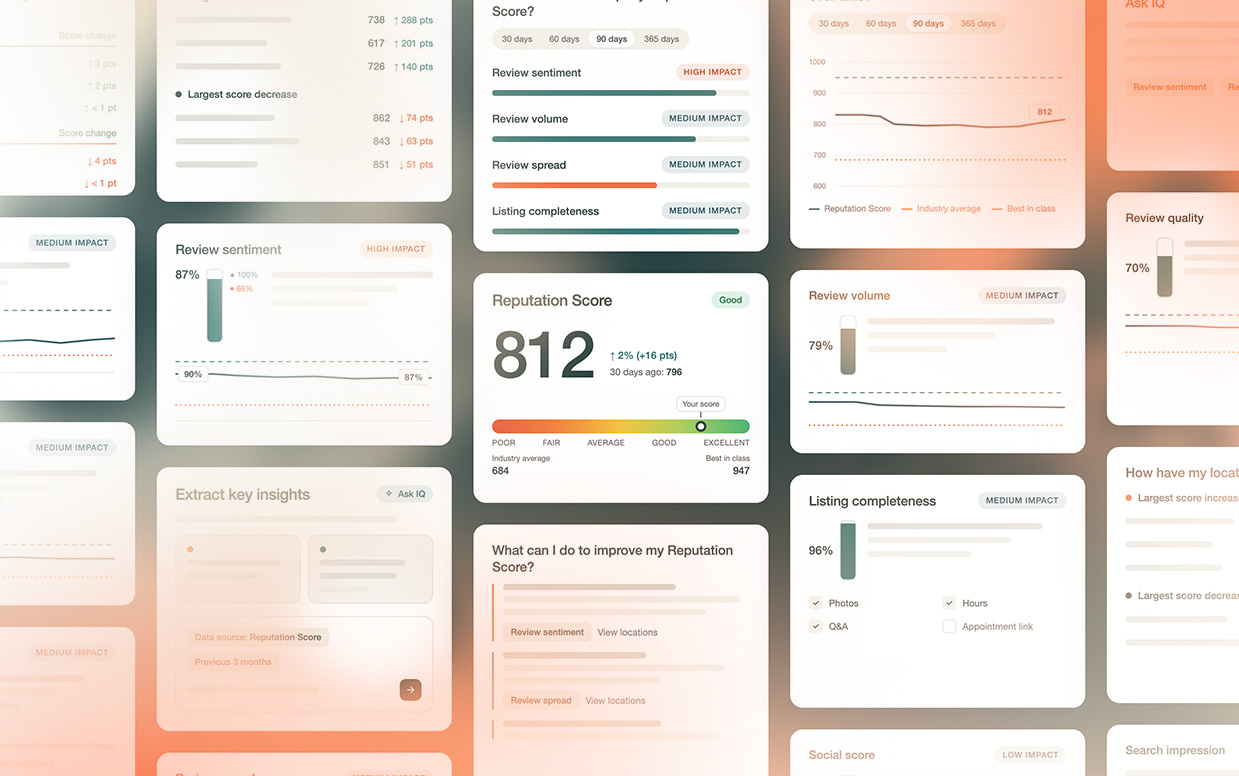
For businesses utilizing a Reputation Score (or similar internal benchmarks), this "Gemini Effect" has direct consequences. Here is how it impacts your metrics:
Impact Areas:
Score Accuracy
- Your score becomes a more authentic reflection of your actual service. "Ghost" five-star reviews from bots are being purged, which may cause a temporary dip in volume but a significant increase in credibility.
Review Velocity
- If your business sees a sudden, unnatural spike in reviews (even legitimate ones), Gemini may temporarily hold them for verification. This prevents "review bombing" but requires a more steady, organic approach to review generation.
Sentiment Analysis
- Because Gemini understands context better than older models, it can distinguish between a "venting" customer and a malicious bot, ensuring your score isn't unfairly dragged down by non-human activity.
Local SEO Visibility
- Google now prioritizes "Contextual Intelligence." Listings with high-quality, verified reviews are favored over those with high volume but low authenticity markers.
What Happened to My 5 Star Reviews?
It can certainly feel frustrating when you see a hard-earned 5-star review disappear, especially when you know it came from a real, happy customer. You aren't imagining it—data shows that a significant portion (roughly 38%) of all reviews removed by Google are 5-star ratings.
The reason it feels like 5-star reviews are being targeted is that Gemini AI is specifically trained to hunt for inauthentic praise, which is the primary currency of review fraud.
Here is a breakdown of what is likely triggering Gemini to pull those 5-star reviews:
1. The "Enthusiastic Customer" False Positive
Gemini’s biggest strength is also its biggest hurdle for legitimate businesses: it is trained to identify AI-generated text.
- The Trigger: If a customer is too helpful—writing a long, perfectly structured review with generic praise like "The service was professional, the staff was friendly, and the atmosphere was inviting"—Gemini may flag it as "too perfect" or "likely AI-generated," even if a human wrote it.
2. Velocity and Timing Spikes
In nature, reviews happen at a steady "drip." Gemini looks for deviations from your business's historical baseline.
- The Trigger: If you run a promotion or an email campaign and receive 5+ reviews in a single day when you normally get two a week, Gemini may view this as a "coordinated campaign" or a "review ring" and purge the entire batch to be safe.
3. Location and Connection Logic
Google Maps is, at its heart, a location service. Gemini cross-references the reviewer's data with their physical history.
- The Trigger: If a customer leaves a review from their home office rather than while they were at your place of business, or if they leave it from a geographic location that doesn't match their account's recent "pings," Gemini flags it as a "non-visit" review.
4. "Incentive" Keywords
Google’s policy strictly forbids offering discounts or gifts in exchange for reviews.
- The Trigger: Even if the review is 5 stars, if it mentions words like "deal," "discount," "coupon," "contest," or "freebie," Gemini will immediately scrap it. It assumes the review was "bought" rather than earned.
5. Account "Trust" Scores
Gemini doesn't just look at the review; it looks at the Reviewer.
- The Trigger: If a customer has a "low trust" profile (e.g., they have no profile picture, they rarely leave reviews, or they have left 5-star reviews for 10 different businesses in 10 different states in one week), Gemini will discard their feedback for your business as collateral damage.
Why 5-Star Reviews Vanish
Triggers and Why Gemini Flags Them:
High Velocity
- It looks like a "purchased" burst of reviews.
Generic Language
- It mimics the patterns of AI-generated spam.
Off-Site Posting
- Lack of GPS data suggests the user never visited.
Incentive Mention
- Mentioning a "discount" violates Google's core policy.
Account Age
- New or inactive accounts are viewed as high-risk "burners."
The Bottom Line for Leaders
The "quantity over quality" era of reviews is over. Google’s aggressive use of Gemini means that authenticity is now the primary currency of the digital world. To maintain a high Reputation Score, businesses must focus on capturing genuine feedback from real customers through verified channels.
Tips for Staying Google Compliant
To keep your reviews from being flagged by Gemini’s "Spam & Inauthenticity" filters, the goal is to encourage unique, contextual, and human responses.
The following scripts avoid "trigger words" (like discount or contest) and steer customers away from the generic, AI-like praise that Gemini often mistakes for bot activity.
Strategy: The "Specific Experience" Approach
By asking the customer to mention a specific detail, you create a review that is statistically impossible for a bot to replicate, which Gemini’s AI prioritizes as high-quality content.
Option 1: The "Face-to-Face" Script (Verbal)
- "We’re so glad you had a great experience today! If you have a moment to leave a Google review, could you mention [Employee Name] or the [Specific Product/Service] you got? It really helps us show Google that we’re providing real value to our local neighbors."
Option 2: The Post-Visit Email/SMS (Digital)
Subject: We'd love your honest feedback!
- "Hi [Customer Name], thank you for visiting [Business Name]!
We’re working hard to stand out, and a quick Google review goes a long way. If you have 30 seconds, please let us know one specific thing you enjoyed about your visit today.
[Link to Google Review]
Tip: Mentioning a specific detail helps other locals find us!"
Tips to Protect Your Reputation Score
- Stop "Review Stations": Never have customers leave a review on a tablet or computer provided by the business. If 10 people leave reviews from the same IP address, Gemini will nukes all of them as "fraudulent."
- Encourage Photos: A 5-star review with a photo is 65% less likely to be removed by AI. Ask customers to snap a quick photo of their meal, their new haircut, or the finished project.
For technical support and user assistance, please visit our support portal or reach out to your customer success team. EMEA customers can email uksupport@reputation.com for assistance.
If you feel that Google has removed a review or multiple reviews in error, you can request a review of the removal on the Google Business help site.
If you are unable to find the affected review or reviews in the form linked above, you can manually open a support ticket with Google.